
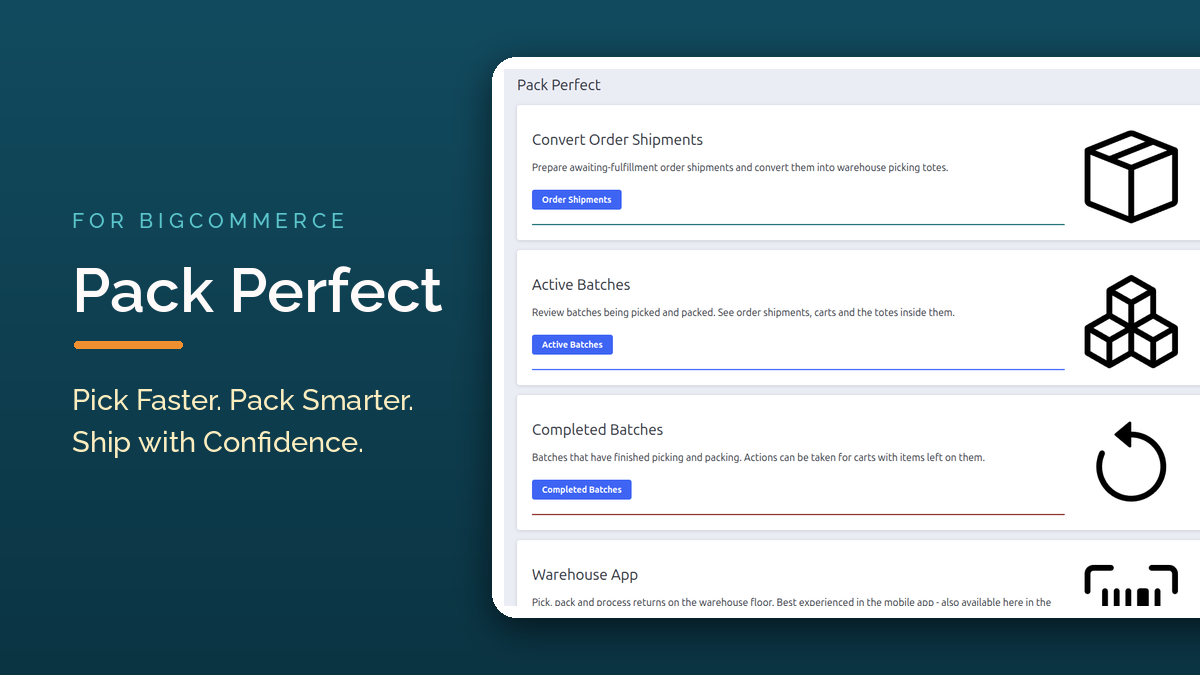
Pick Faster. Pack Smarter. Ship with Confidence.
Turn your BigCommerce order fulfillment into an organized, scan-driven
warehouse workflow with Pack Perfect. The app groups your order shipments
into optimized pick batches and guides your team through picking and
packing on the phones they already have – so the right items get in the
right box, every time, without the cost or complexity of a full warehouse
management system.
From Order Shipment to Pick Batch
Stop printing pick lists and walking the warehouse order by order. Pack
Perfect pulls in your orders awaiting fulfillment, splits them into
shipments, and turns them into batches your team works through one cart at
a time:
- Prepare shipments – every shipping consignment on an
awaiting-fulfillment order becomes a prepared order shipment. - Convert to totes – each shipment’s items are mapped onto totes using
cart layouts that model the picking carts you already own. - Create batches – totes are grouped onto a cart grid, keeping every
shipment’s items together on one cart. - Pick and pack – staff work the batch in the warehouse app, verifying
every item by barcode scan along the way.
Guided Picking on the Warehouse Floor
Pickers are walked through each batch in Bin Picking Number order –
items are sorted by their position in the warehouse, so pickers take an
optimized path and completely skip aisles and zones their batch doesn’t
need. Every scan confirms the item and its tote position, so mispicks get
caught at the shelf instead of the packing bench.
Picking is built for real warehouse conditions:
- Park and resume – pause a batch mid-shift and pick up exactly where
you left off, or hand the cart to another picker for zone picking. - Picking rules – control how items are picked per product,
variant, or category: single-scan quantities, which cart layouts an item
may ride on, relative tote sizes, and oversized items that don’t fit
standard totes. - Any 2D scanner works – no proprietary hardware or vendor lock-in, and
scans can always be done by tapping instead.
Packing Rules That Catch Mistakes Before They Ship
Packing rules turn your packing requirements into checklists the
packer must satisfy before a shipment can be marked packed. Rules apply per
product, per variant, per category, or to every shipment:
- Generic reminders – “check for damage”, “include the packing slip”
- Take picture – photo proof of the packed shipment, timestamped and
stored with the batch for disputes and carrier claims - Add print item – PDFs like warranty cards or return forms to print
and include - Print shipping label and critical shipping requirements –
must-not-miss checks that always apply to the whole shipment
Built-In Returns to Stock
Nobody’s perfect – Pack Perfect is designed for that. When an item can’t be
picked or can’t be packed, it’s flagged and routed into a return-to-stock
workflow. Leftover items are tracked back to the shelf employee by
employee, while the rest of the batch keeps moving so everything else still
ships on schedule.
Free Companion Apps for iOS and Android
Every Pack Perfect subscription includes the Warehouse Manager by 1000
Apps companion app at no extra cost – the warehouse floor app your
pickers, packers and returns staff actually work in.
Staff sign in by scanning a short-lived QR code – no passwords to type on
the floor – and see only the work their permissions allow: pickers see
picking, packers see packing, returns staff see returns. No mobile device
on hand? The same warehouse app also runs in the browser right inside your
BigCommerce admin.


Visibility for Managers
- Active Batches – watch every batch move through its statuses in
real time, see who’s working on what, and drill into any batch’s full
detail page down to the individual tote. - Completed Batches – manage leftovers and returns decisions once
packing ends. - History – a 90-day audit trail of every pick, pack, return and
settings change. - Printable batch PDFs – batch summaries with QR cart IDs, item lists
and optional packing photos, on Letter or A4. - Configurable order status updates – choose whether packing completion
updates the order status in BigCommerce.
Why Choose Pack Perfect for BigCommerce?
- Built for BigCommerce – works on top of your existing orders,
shipments and catalog; no separate inventory to sync. - Batch picking that saves time – collect items for many shipments in a
single trip through the warehouse. - Accountable by default – per-employee permissions and a full audit
trail mean every action has a name on it. - No extra hardware – the companion app runs on the phones your team
already carries, with any 2D barcode scanner.
Getting Started
If you’re ready to read more about using the Pack Perfect app, check out
our Getting Started article – it takes you from a fresh install to
picking and packing your first order in about fifteen minutes.

Pack Perfect for BigCommerce
Pack Perfect turns order shipments into efficient batches — pick many shipments at once with barcode scanning. Try now, and get a 14 day free trial! Includes free iOS and Android companion apps for the warehouse.