
The Warehouse App page is the front door to the warehouse side of Pack
Perfect — the app your pickers, packers and returns staff use on the floor.
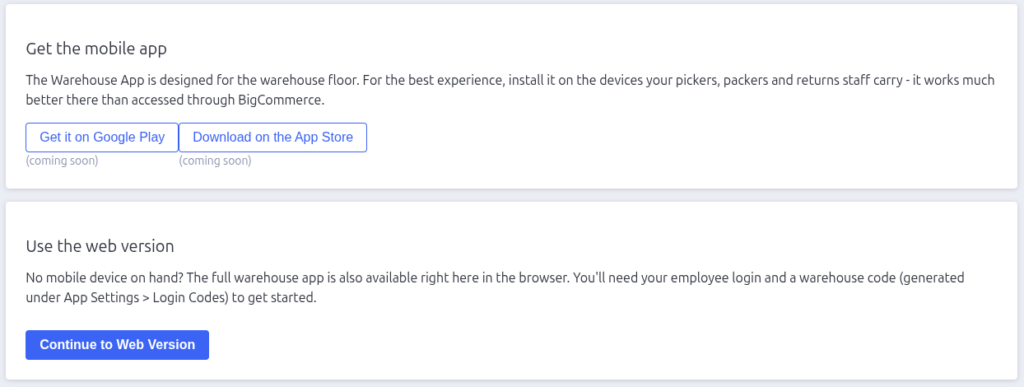
Get the mobile app
The dedicated mobile app is the recommended way to run the warehouse: faster
barcode scanning with the device camera, and a session that stays signed in
on the warehouse device.
Use the Get it on Google Play and Download on the App Store buttons
to install it on your team’s devices.
Use the web version
No mobile device? The full warehouse app also runs in the browser — click
Continue to Web Version.
You’ll land on the warehouse login screen, which needs two things:
- Employee Login or Email — the login name (or email) of a user created
under App Settings → Users. - Warehouse Code — a code in the format
STORE#LOCATION#UUID, generated
under App Settings → Warehouse Login Codes. On a device with a camera
you can also scan the code’s QR image.
Once logged in, the staff member sees the Picking, Packing and Returns areas
their permissions allow — plus a Profile page with their details and a log
out button.
Who can do what
What a warehouse user can see is controlled by their permissions on the
Users settings page: Picker unlocks picking, Packer unlocks packing,
and Stock Returns unlocks returns. Users without a permission don’t see
its tab at all.

Pack Perfect
Pack Perfect is coming soon! Email support@athousandapps.com to be added to the list and we’ll let you know as soon as it’s released.